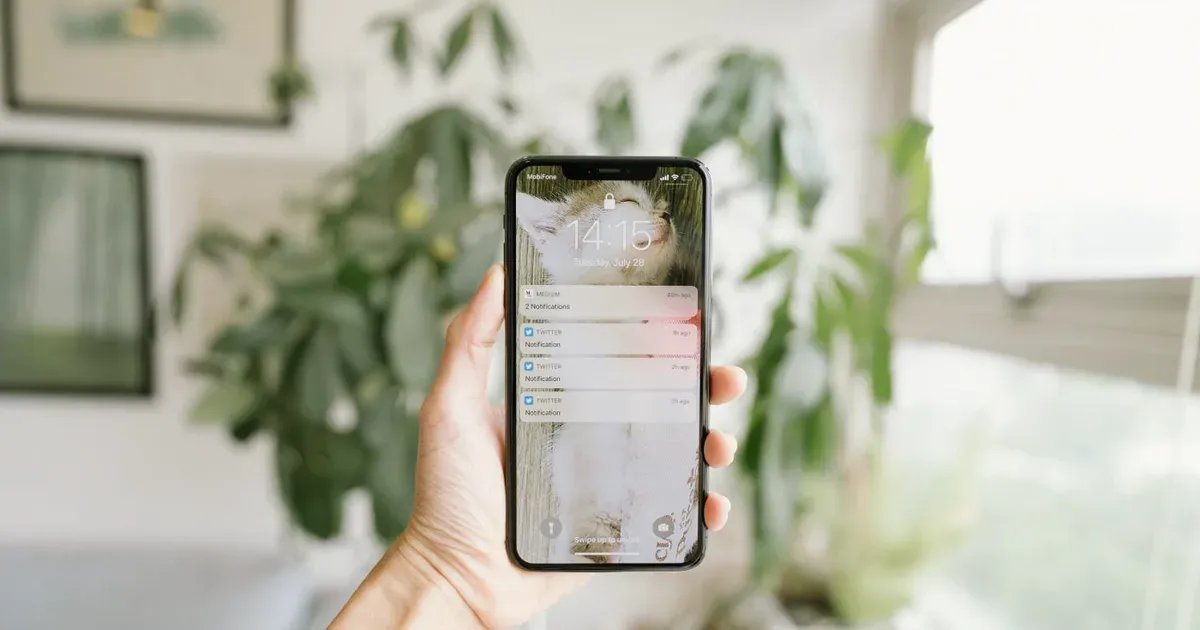
How to Set Up Missed Call Text Back in HighLevel
Disclosure: I am an independent HighLevel affiliate, not an employee of HighLevel. If you start a trial through my links I may earn a commission at no extra cost to you. I only recommend tools I use in my own business.
A customer calls a plumber. Nobody answers.
She does not leave a voicemail. She calls the next plumber on the list.
That happens to local businesses every day, and most owners never know how much it costs them.
A missed call text back fixes it with one friendly text. Here is how to set up missed call text back in HighLevel, what to say, and how to turn it into a service.
To set up missed call text back in HighLevel, build a workflow that starts when a call to the business number is missed and sends an automatic text within a minute. The text thanks the caller, asks how you can help, and offers a booking link, so the conversation keeps going instead of the caller trying a competitor.
What you need before you start
- A HighLevel account. If you do not have one yet, you can start a 30-day free trial here
- A phone number in HighLevel that the business uses for calls, or forwards calls to
- Texting set up and approved for that number, since business texting needs registration in the US
- A booking calendar if you want to include a booking link
Why missed call text back works
People who call are ready to buy. They are not browsing. They have a leak, a toothache or a wedding coming up.
When nobody answers, the caller is still interested for a few minutes. A text that arrives in that window feels like great service. A text that arrives tomorrow feels like nothing.
Speed is the whole game here.
How to set up missed call text back in HighLevel
1. Confirm your phone number
Make sure the business number lives in HighLevel or forwards to a HighLevel number. Calls have to pass through HighLevel for the system to see that one was missed.
2. Create a new workflow
Open Automation, then Workflows, and start a new workflow from scratch. Give it a plain name like Missed Call Text Back.
3. Add the call trigger
Add a trigger based on call status and filter it for missed or unanswered inbound calls. This tells HighLevel to start the workflow only when a call is not picked up.
Following along? Start your 30 days free here and build this as you read.
4. Add the text message
Add a send SMS action. Write a short, warm message that sounds like a real person at the business. Use the contact's first name if it is available.
5. Add a booking link or a question
Either include a link to the calendar or ask a simple question like "How can we help?" Questions get more replies. Links get more bookings. Test both.
6. Test it with your own phone
Call the number from your cell, let it ring out, and wait for the text. Check the wording, the timing and the link.
7. Publish the workflow
Save and publish. Then test once more from a different phone to be sure.
The trap: texting is not registered yet. If messages fail, check the number's texting registration before you change anything else.
What to write in the missed call text
Keep it short, human and specific to the business.
- Home services: "Hi, this is Mike's Plumbing. Sorry we missed your call. What can we help with today?"
- Med spa: "Thanks for calling Glow Med Spa. We are with a client right now. Want to grab a time here?" plus the booking link
- Restaurant: "Sorry we missed you. Calling about a reservation or an order? Reply and we will help."
What this looks like for a roofing company
Here is an example of how this service could work. It is an illustration, not a client result.
A roofing owner is on roofs all day. His phone rings while he is on a ladder, and he cannot answer.
- A homeowner calls about a leak and gets no answer
- Within a minute she gets a text asking about the problem
- She replies with a photo, and the office sees it in the HighLevel inbox
- The office texts back a time for an inspection the same day
The owner did not hire anyone. He just stopped losing callers who hung up. An agency can set this up in an afternoon and charge a monthly fee to run it. To build it, start your 30 days free and the live bootcamp walks you through workflows.
Missed call text back setup at a glance
| Step | What you do | Why it matters |
|---|---|---|
| Phone number | Route calls through HighLevel | The system has to see the missed call |
| Trigger | Start on missed inbound calls | Only missed callers get the text |
| Text message | Short, warm, specific | Feels like service, not spam |
| Link or question | Booking link or simple question | Moves the caller to the next step |
| Testing | Call from two phones | Catches errors before customers do |
Common mistakes and fixes
- Texts do not send. Check the number's texting registration and the workflow publish status.
- The text sounds like a robot. Rewrite it the way the owner would actually say it.
- Every call triggers a text. Filter the trigger to missed inbound calls only.
- Nobody watches the replies. Make sure someone at the business checks the inbox or gets notified.
Frequently asked questions
Does HighLevel have missed call text back built in?
Yes. HighLevel can send a text automatically when a call is missed, and the most flexible way to set it up is with a workflow. A workflow lets you control the trigger, the wording, the timing, a booking link and any follow-up messages, so you can match each business exactly.
How fast should the missed call text go out?
Within a minute or two is ideal. The caller is still thinking about their problem and is likely to reply. Waiting an hour or more makes the text far less useful, because by then most callers have already found someone else who answered the phone.
Can I sell missed call text back as a service?
Yes. It is one of the easiest entry services for a new agency because every phone-driven business understands the problem right away. Many agencies offer it as a low monthly entry service, then add booking, reviews and AI answering once the owner sees it working.
What do I need to start building this?
You need a HighLevel account, a phone number with texting approved, and about an hour to build and test the workflow. You can start a 30-day free trial here and set it up for your own business or a demo account first.
Will missed call text back annoy customers?
Not when it is written well. A short, friendly message from the business feels like good service because the caller wanted help. Problems only start when the text is pushy or sent to every caller, so keep it warm and limit it to missed inbound calls.
Ready to build your first missed call text back?
You now know the trigger, the text and the test. This is a service every local business understands in ten seconds.
HighLevel gives you 30 days free plus a live bootcamp, so you can build it, test it and show it to a business owner before you pay.
No long contract. You can cancel inside the trial if it is not a fit.
About Starr Codd
Starr Codd built Baby Doll Luxury Hair into a seven figure brand and now runs She Has Clients, a software company built on HighLevel. She teaches agency owners and AI consultants how to package, price and sell services that small businesses pay for every month. More about Starr.